If you are traveling through Indian Railways, you might be able to enjoy a more comfortable journey without paying anything extra. Indian Railways offers a useful feature called IRCTC Auto Upgradation, which can upgrade your booked class to a higher one if vacant seats are available. For example, you may book a Sleeper Class ticket and get upgraded to 3AC, or even move from 2AC to the premium 1AC coach.
In this guide by RailRecipe, We will understand what IRCTC Auto Upgradation is, how to upgrade train tickets, its benefits and limitations, and how to make the most of this feature during your next train ticket booking. We’ll also show you how Indian Railways makes your upgraded train journey even more enjoyable with fresh and delicious food delivered right to your seat.
Everything You Need to Know About IRCTC Auto Upgradation of Indian Railway Ticket
IRCTC Auto Upgradation is a free service offered by Indian Railways to make better use of available seats. If there are empty seats in a higher travel class, the system may automatically upgrade passengers from a lower class without charging any extra money. This means you could get a better seat after booking your ticket without doing anything.
This feature is helpful for both passengers and Indian Railways. Passengers get to travel in a more comfortable coach, while the empty seats are put to good use. It also creates more space in the lower classes, giving waitlisted passengers a better chance of getting a confirmed ticket. This makes train travel more convenient and efficient for everyone.
How Indian Railways Auto Upgrades Your Train Ticket
The IRCTC Auto Upgradation process is fully automatic and usually takes place during the final chart preparation, a few hours before your train departs. If there are empty seats available in a higher class, the system may upgrade eligible passengers without any extra charges. Here’s how it works:
1.Choose Auto Upgradation While Booking: When booking your train ticket on the IRCTC website or app, select the “Consider for IRCTC Auto Upgradation” option. This makes you eligible for a free upgrade if seats are available.
2.Automatic Selection: During chart preparation, the Passenger Reservation System (PRS) checks for vacant seats in higher classes and randomly upgrades eligible passengers. The selection is automatic, so no one can request or guarantee an upgrade.
3.Same PNR, Better Coach: If your ticket is upgraded, your PNR number stays the same. Only your coach and berth details change, and you can check the updated information using the same PNR.
Step-by-Step: How to Opt for IRCTC Auto Upgradation During Ticket Booking
Step 1: Log in to Your IRCTC Account
Visit the IRCTC website or open the IRCTC Rail Connect app and log in with your account details.
Step 2: Search for Your Train
Enter your boarding station, destination, travel date, and choose the train you want to book.
Step 3: Fill in Passenger Details
Enter the required passenger information such as name, age, gender, and berth preference.
Step 4: Select “Consider for Auto Upgradation”
Before making the payment, look for the “Consider for Auto Upgradation” option and tick the checkbox to become eligible for a free class upgrade if seats are available.
Step 5: Complete the Booking and Check Your Ticket
Make the payment and confirm your booking. If your ticket is selected for IRCTC auto upgradation, your coach and berth details will be updated during chart preparation, while your PNR number will remain the same.
How to Order Food Online in Train with RailRecipe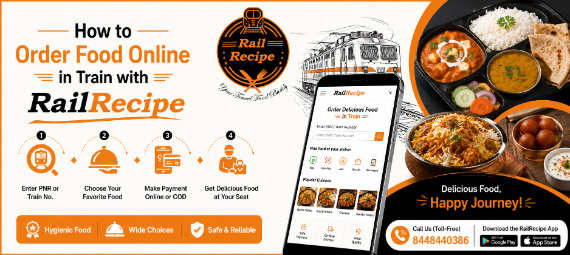
Ordering food in train with RailRecipe is quick, easy, and convenient. Simply enter your PNR number or train number on the RailRecipe website or mobile app to view the available restaurants and food options at your upcoming station. Choose your favorite meal from a wide variety of dishes, including North Indian, South Indian, Chinese, Jain food, snacks, and beverages. Add your preferred items to the cart, confirm your order, and complete the payment using online payment or choose Cash on Delivery (available on selected routes). Your freshly prepared meal will be delivered directly to your train seat at the selected station. For an even smoother experience, download the RailRecipe Android app or the RailRecipe iOS app and order your favorite meals anytime during your journey. If you need any help with booking your meal or have any questions, simply call our toll-free number 8448440386. Our customer support team is always ready to help you enjoy fresh, hygienic, and delicious food while traveling by train.